
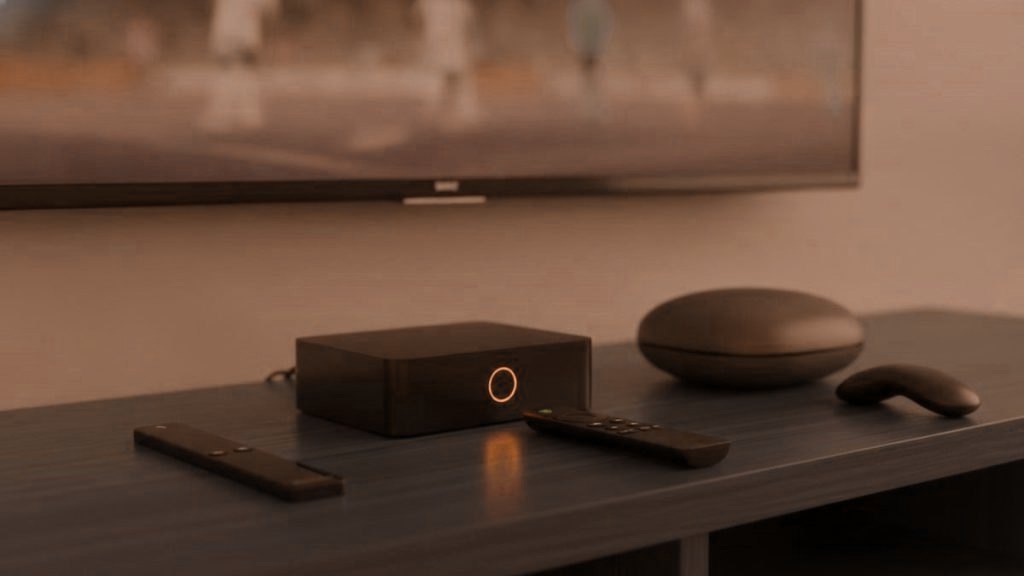
A streaming box is a small computer that lives on your home network, stays signed in to your accounts and runs for years with a microphone in the remote. Spec sheets compare processors and RAM. The questions that matter more for most households are duller: who makes the software, how long they keep updating it, where the apps come from, and whether anything was installed before it reached you.
Where we land
Buy a mainstream device from a company with a record of shipping updates: an Amazon Fire TV Stick 4K Max, a Google TV Streamer, a Walmart onn. 4K Pro, an Nvidia Shield TV or an Apple TV 4K. If you want a purpose-built IPTV box with a dedicated remote, a Formuler or MAG bought from an authorised seller is reasonable. Avoid unbranded Android boxes sold on price alone, and never buy a box sold “fully loaded” with channels.
Why trust comes before specs
For IPTV specifically, almost any current streaming device has enough power. Decoding a 4K stream is routine work for chips made in the last several years. What differs enormously is the software, and three things make that matter more than it would for, say, a DVD player.
- Position on your network. A box is inside your home network alongside laptops, phones and cameras. A compromised box is a foothold, not an isolated nuisance.
- Accounts. It is signed in to an Amazon, Google or Apple account, holds your IPTV login in a player app, and may hold logins for other streaming services too.
- Longevity. People keep streaming boxes for many years, well past the point where cheaper ones stop receiving any fixes.
Firmware updates: the feature nobody advertises
Every operating system gets security flaws discovered in it over time. A device that receives updates gets those flaws fixed. A device that does not keeps them forever. That single difference outweighs a faster processor for anything plugged into your home network.
Before buying, look at the maker’s history rather than its promises. Amazon, Google, Apple and Nvidia all push system updates to their streaming hardware as a matter of routine, and Nvidia in particular has kept its Shield TV line updated for many years after launch. Formuler and Infomir, which makes MAG boxes, publish firmware for their current models. Unbranded boxes often ship with an old version of Android and never receive a single update, because nobody in particular is responsible for them.
After you buy, install updates before anything else. On most devices there is a system update option under the About or System section of settings.
Certified or uncertified: the Android box question
Android is open source, so anyone can build a box that runs it. Google licenses its own apps and the Play Store only to manufacturers whose devices pass its compatibility and security testing. The result is two very different kinds of “Android TV box” that can look identical in a product photo.
Certified devices, such as the Google TV Streamer, onn. 4K Pro and Nvidia Shield, run Android TV or Google TV with Google Play Protect, which scans installed apps, and the official Play Store. Google publishes a list of its Android TV partners, and the Play Store’s own settings on a device show whether it is Play Protect certified.
Uncertified devices run a version of Android assembled by whoever made the box. Many are fine as media players. Some are not. In 2023 a security researcher found malware already present in the firmware of a T95 box sold through major online marketplaces. In 2025 the FBI issued a public warning about the BADBOX 2.0 operation, which used large numbers of off-brand streaming boxes and similar devices, many compromised before purchase, to route other people’s internet traffic through buyers’ home connections. The warning signs it listed included devices promoted as unlocked or offering free content, and unknown app stores.
The practical rule: if a box is suspiciously cheap, has no recognisable brand, and its main selling point is what it lets you access rather than what it is, leave it on the shelf.
Fully loaded boxes: every risk in one package
A “fully loaded” box arrives with apps already installed that promise every channel, film and sport for a one-off price. It combines nearly every problem in this article.
- Unknown software from day one. The pre-installed apps are frequently modified versions of real players or Kodi builds from unofficial sources, with no route to updates and no way to know what else they do.
- An uncertified base. These are almost always generic Android boxes, with the firmware concerns described above.
- No recourse. When the streams stop, and they do, there is no support to call, no refund policy and often no seller to find.
- Legal exposure. In 2017 the Court of Justice of the European Union ruled that selling media players pre-loaded with links to unlicensed streams can infringe copyright, and sellers have been prosecuted in several countries. Our piece on IPTV and the law covers this in more depth.
A clean device, apps installed by you from official sources, and a subscription from a provider with published terms is the opposite of all of that, and usually cheaper over a couple of years.
The main options, judged on trust as well as function
Amazon Fire TV Stick 4K Max
The common default, and a reasonable one. Amazon ships regular updates, the Amazon Appstore carries many players, and the rest can be sideloaded with the Downloader app when needed. The trade-off is that Fire TV is built around Amazon’s own advertising and recommendations, so spend two minutes in Settings, Preferences, Privacy Settings to switch off interest-based ads and the usage-data sharing options. One thing to check before buying: Amazon has started releasing some Fire TV models on its newer Vega OS, which does not run sideloaded Android apps. Confirm the model runs Fire OS if you need a player that is not in the Appstore. Our Firestick guide covers setup.
Google TV Streamer and onn. 4K Pro
Both are Google certified, run Google TV and include the full Play Store, so TiviMate installs directly without enabling unknown sources at all. The onn. 4K Pro, sold by Walmart, has an Ethernet port, which helps stability. The data trade-off is with Google: the device ties into your Google account, and the Ads and personalisation options in its privacy settings are worth reviewing. See the Android TV guide.
Nvidia Shield TV and Shield TV Pro
Older designs now, but still among the most capable Android TV devices, with a long record of software support. Certified, with the Play Store and Ethernet. The Pro model has more storage and USB ports, useful if your player records programmes. It costs considerably more than a stick, which is only worth it if you will use the extra.
Apple TV 4K
The most locked-down option: apps come from the App Store and nowhere else. That narrows the choice of IPTV players, since TiviMate does not exist on Apple devices, but it also removes the sideloading risks entirely, and Apple supports its hardware with tvOS updates for years. It asks before apps track you across other companies’ services. Setup is in the Apple TV guide.
Formuler and MAG boxes
Purpose-built IPTV hardware with remotes designed around live channels and a guide. Formuler boxes run an Android-based system with the MyTVOnline player. MAG boxes, made by Infomir, run a Linux-based system that connects to a provider’s portal and is identified by the box’s MAC address. That identifier is effectively part of your account, which has two consequences: buy from an authorised seller rather than an anonymous listing, and understand that a second-hand MAG may already be registered with someone else’s service. Firmware for current models comes from the manufacturer. See our MAG and Formuler guide.
No box at all: the smart TV you already own
Recent Samsung and LG televisions run IPTV players from their own app stores, so you may not need hardware. The televisions themselves collect viewing data through content recognition features, called Viewing Information Services on Samsung and Live Plus on LG, which you can switch off without affecting any app. The Samsung and LG guides cover the players.
Roku
Roku does not allow sideloading and IPTV players come and go from its store, so it is the least suitable choice for this purpose. If you already own one, our Roku guide explains the workarounds. If you are buying for IPTV, choose something else.
The options compared
| Device | Where apps come from | Sideloading | Software updates from | Watch for |
|---|---|---|---|---|
| Fire TV Stick 4K Max | Amazon Appstore | Yes, per-app permission | Amazon | Ad settings; Vega OS models |
| Google TV Streamer, onn. 4K Pro | Google Play | Possible, rarely needed | Google / manufacturer | Google account personalisation |
| Nvidia Shield TV | Google Play | Possible, rarely needed | Nvidia | Price for what you use |
| Apple TV 4K | App Store only | No | Apple | Narrower player choice |
| Formuler | Built-in MyTVOnline; other apps vary by model | Yes | Formuler | Buy from authorised sellers |
| MAG | Provider portal | No | Infomir | MAC address tied to account |
| Unbranded Android box | Varies, often unofficial | Yes | Often nobody | Pre-installed malware, no updates |
Setting up any box so it keeps less about you
- Update first. Install system updates before signing in to anything.
- Secure the platform account. A strong, unique password and two-step verification on the Amazon, Google or Apple account the device uses.
- Turn off ad personalisation and usage sharing in the privacy settings.
- Disable content recognition on the television, if it has it.
- Install only what you use, from the official store where possible.
- Close the side door. If you enabled installs from unknown sources, turn it off again once the player is installed.
- Consider voice features. If you never use the voice button, check whether the device lets you disable it.
- Put it on a guest network if your router supports one, keeping streaming devices apart from the computers that hold your documents.
The remote with a microphone
Most current streaming remotes have a voice button. On the mainstream devices the microphone is push-to-talk: it listens while you hold the button and sends that clip to the platform’s voice service, which is how a spoken search works. That is a reasonable design, but the recordings are processed by Amazon, Google or Apple under their own privacy settings, and some platforms let you review or delete voice history through your account. If nobody in the house uses voice search, there is little reason to keep that history. Remotes supplied with unbranded boxes are a different matter, since there is no account, no privacy dashboard and nobody to say what the box does with audio.
Selling, gifting or recycling a box
Before a device leaves your house, sign out of every app, factory reset it from the settings menu, and remove it from your Amazon, Google or Apple account’s device list online. Then ask your IPTV provider to change your password, since a player’s saved login can survive in ways you might not expect. Buying second-hand, reset the device yourself before use, whatever the seller says they did.
Where the subscription comes in
The box is only half the setup. MYTIVIFLIX works with the standard players on every device above, carries 25,000+ channels, and does not require any particular hardware. The 24-hour trial needs no card, so you can confirm your chosen device and player work together on a busy evening before you spend anything. Every device guide is on the setup page.
Frequently asked questions
What is the best box for IPTV?
A mainstream device from a company that ships regular updates: an Amazon Fire TV Stick 4K Max, Google TV Streamer, Walmart onn. 4K Pro, Nvidia Shield TV or Apple TV 4K. For a dedicated IPTV remote and guide, a Formuler or MAG box bought from an authorised seller is reasonable.
Are cheap unbranded Android TV boxes safe?
Some are fine, but many run old, uncertified Android and never receive updates. Malware has been found pre-installed in the firmware of some off-brand boxes, and in 2025 the FBI warned about the BADBOX 2.0 operation, which used compromised off-brand streaming devices. A recognisable, certified device is the safer choice.
Why should I avoid a fully loaded IPTV box?
They combine unknown modified apps with no update path, an uncertified operating system, no support or refund when the streams stop, and legal risk, since sellers have been prosecuted and the EU's top court has ruled that selling such boxes can infringe copyright.
How do I check if an Android TV box is certified?
Look for a recognised brand and the official Google Play Store and Google TV or Android TV branding. Google publishes a list of Android TV partners, and the Play Store settings on a device show whether it is Play Protect certified. Boxes with unofficial app stores are not certified.
Can I use IPTV on Apple TV?
Yes, with a player app from the App Store, such as iPlayTV or GSE Smart IPTV. Apple TV does not allow sideloading, which narrows the choice of players but removes the risks that come with installing apps from outside a store. TiviMate is not available on Apple devices.
What should I do before selling a streaming box?
Sign out of every app, factory reset the device, and remove it from your Amazon, Google or Apple account device list. Then ask your IPTV provider to change your password, because a player's saved login can survive in ways you might not expect.
See all 25,000+ channels before you commit
One WhatsApp chat, no card kept on file, a login in under 15 minutes and 7 days to ask for your money back.
Related articles
Private IPTV for the Whole Family: No Accounts, No Tracking
Quick answer: Private IPTV for a family means one service across every room without separate named accounts, without a shared email and…
October 15, 2026IPTV Payment Privacy: Paying Without a Subscription Trail
Quick answer: IPTV payment privacy means paying for each period deliberately instead of leaving a stored card that auto-renews and builds a…
October 15, 2026What Your Smart TV Already Knows About Your Viewing
Quick answer: Many Smart TVs track viewing through a feature called ACR (automatic content recognition), which samples what is on screen and…