
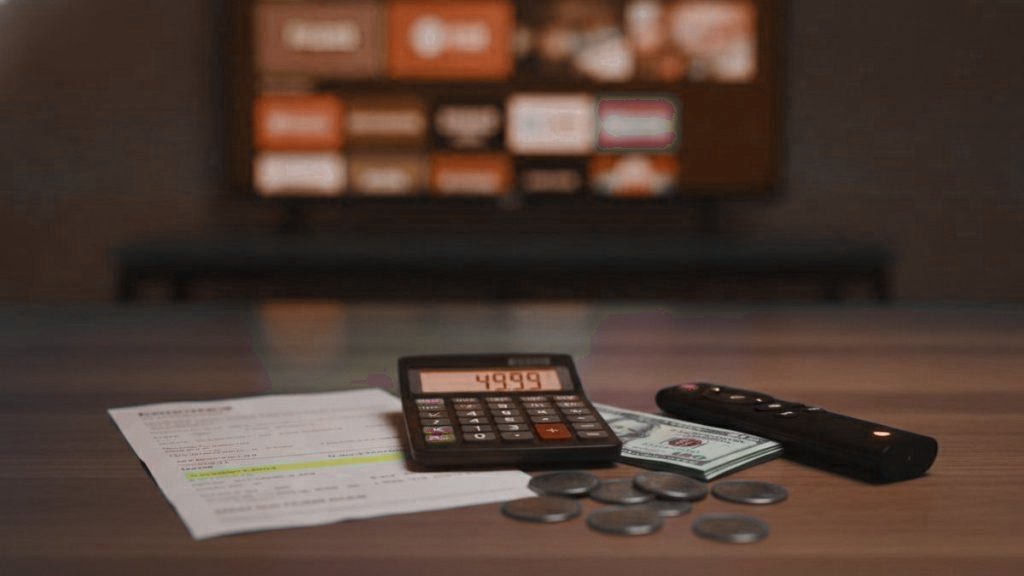
Every way of watching television has two prices. One is on the invoice. The other is the information you hand over so that someone else can make money from it. A paid IPTV plan is heavy on the first and can be light on the second. Free, ad-funded platforms flip that around. This guide sets out both columns honestly, including what your choice of payment method reveals and to whom.
Our prices, in one paragraph
MYTIVIFLIX costs $15 for one month on one device, $29 for three months, $45 for six and $69 for twelve, which works out at $5.75 a month. More screens cost more, up to $239 a year for five at once. The 24-hour trial is free and asks for no card. First purchases have a 7-day money-back guarantee. There are no setup or activation fees. The full table is below and on the pricing page.
Column one: the price in money
Here is every plan we sell, with the effective monthly cost for a single device worked out so you do not have to.
| Plan length | 1 device | 2 devices | 3 devices | 5 devices | Per month, 1 device |
|---|---|---|---|---|---|
| 1 month | $15 | $25 | $35 | $49 | $15.00 |
| 3 months | $29 | $49 | $65 | $99 | $9.67 |
| 6 months | $45 | $75 | $99 | $149 | $7.50 |
| 12 months | $69 | $119 | $159 | $239 | $5.75 |
“Devices” here means screens playing at the same moment, not the number of gadgets the app is installed on. You can put the login on a stick, a phone and a laptop; a one-device plan simply plays on one of them at a time. On the five-device yearly plan each screen costs a little under $48 a year.
Why the longer plans are cheaper per month
Not because we are being generous. A monthly customer costs more to look after: more payments to process, more renewal messages, more first-week setup conversations repeated every time someone lapses and returns. A yearly customer gets set up once. The saving is real and passing some of it on is reasonable. That said, nobody should buy twelve months before they have watched a busy evening on the trial. Start short if you are unsure.
What should never be on the bill
- An activation, setup or “installation” fee. Setup is a login and an app.
- A monthly “server maintenance” charge on top of the plan price.
- A charge for the player app from the provider. Player apps come from their own developers, and most are free.
- A deposit, or a “lifetime” price that dwarfs a year’s plan. Nobody can sell permanent access to something that costs money to run every month.
Column two: the price in data
Free television is not new. Broadcast TV has always been paid for by advertising. What changed is how precisely advertising can now be aimed, and that precision is built from information about you.
Free ad-supported channels
Services such as Pluto TV, Tubi, Samsung TV Plus and The Roku Channel offer hundreds of channels at no cost. They are licensed and legitimate, and for plenty of people they are enough. They pay for themselves with advertising, and advertising on a connected device typically draws on a device advertising identifier, your IP address, the apps you use and what you watch. You are not charged, but your viewing becomes an input to someone’s ad business.
The television itself
Many smart TVs run automatic content recognition, which periodically identifies what is on screen, including what comes in through an HDMI port, and uses that for advertising and recommendations. In 2017 Vizio settled with the US Federal Trade Commission over collecting viewing data this way without adequate consent. The feature is still widespread, and it can be switched off:
- Samsung: Viewing Information Services, under Terms and Privacy settings (the menu location varies by model year).
- LG: Live Plus, in the system or additional settings on webOS.
- Vizio: Viewing Data, in the system or admin and privacy settings.
- Roku TV: the option to use information from TV inputs, in the privacy section.
Switching these off does not stop any app from working, IPTV players included.
Streaming sticks and advertising identifiers
On a Fire TV device, Settings, then Preferences, then Privacy Settings holds a toggle for interest-based ads plus switches for sharing device and app usage data. Google TV devices have an Ads section in their privacy settings where the advertising ID can be deleted. Apple TV asks before an app may track you across other companies’ apps, and you can refuse all such requests in its privacy settings. None of this costs anything, and none of it breaks playback.
The “free” options with a darker price
Free public playlists and boxes advertised with “all channels free forever” have a different kind of cost. The sites handing out playlists are a common source of malicious downloads, and a pre-loaded box runs apps nobody can vouch for, with access to your home network. If money is not changing hands and nobody is running ads, it is worth asking what the business model actually is.
What your payment method tells people
This is the part of “cost” almost nobody writes about. Each way of paying shares different information with the seller, with the payment company and sometimes with anyone who looks, and each gives you a different route back if something goes wrong.
Debit or credit card
When a payment processor handles the card, the seller usually sees your name, the last four digits and sometimes a billing postcode, not the full number. Your bank sees the merchant name on the statement, as does anyone who reads the statement. The strong point is recourse: card payments can be disputed through your bank if a service never delivers.
PayPal and similar wallets
The seller typically sees the name and email address on your wallet account. The wallet company keeps the transaction history. Buyer protection for digital services varies and has conditions, so read the terms rather than assuming a purchase is covered.
Cryptocurrency
No bank name appears anywhere, which is why it is sometimes described as private. It is better described as pseudonymous. Most public blockchains record every transfer permanently and visibly, and if you bought the coins on an exchange that verified your identity, the trail can lead back to you. There is also no chargeback: once sent, it is gone.
Gift cards and personal transfers
Paying with gift card codes or sending money to an individual’s personal account leaves you with no dispute route at all. These methods are strongly associated with scams for exactly that reason. A provider that accepts nothing else is a provider to avoid.
| Method | What the seller usually learns | Visible elsewhere | If it goes wrong |
|---|---|---|---|
| Card via processor | Name, last four digits, maybe postcode | Merchant name on your statement | Dispute through your bank |
| Wallet such as PayPal | Wallet name and email | Wallet transaction history | Wallet dispute, subject to its terms |
| Cryptocurrency | A wallet address | Public ledger; exchange records | Usually no recourse |
| Gift card or personal transfer | Varies | Varies | No recourse |
Payment options for MYTIVIFLIX are confirmed in the WhatsApp conversation when you order. Card details are handled by the payment provider you choose rather than stored by us. If you care about recourse, pick a method that has it. If you care about what appears on a statement, ask before you pay. Both are reasonable questions.
The other bits you might pay for
A device, probably not
If your TV is a Samsung or LG from the last several years, or you already own a Fire TV Stick, Android TV box, Apple TV, phone or computer, you have what you need. A streaming stick is the usual purchase for an older set. Our guide to choosing a box covers what is worth buying and what to avoid.
A player app, usually free
IPTV Smarters Pro and VLC cost nothing. TiviMate has a free version and a paid Premium tier. Smart IPTV and IBO Player charge a small activation fee per device after a trial period. Check the current price in the developer’s own listing, since these change.
A VPN, optional
Not required to watch. Worth considering if your internet provider slows video in the evening or you watch on networks you do not trust. It is another subscription, and another company that sees your traffic metadata, so choose one on its privacy record rather than its advertising.
A first year, with both columns filled in
| Item | Money | Data |
|---|---|---|
| MYTIVIFLIX, 12 months, 1 device | $69 | Contact method, plan, IP addresses and what the account streams |
| Device you already own | $0 | Whatever the maker collects; reduce it with the settings above |
| Free player app | $0 | Depends on the app; check its store privacy listing |
| Payment | Included | Depends on the method you choose |
| Total | $69 | As little as you decide to give |
Splitting a plan with another household
It is tempting to halve the cost of a multi-screen plan by sharing it with a friend or relative in another home. Before doing that, weigh the non-financial side, because a shared login shares more than channels.
- History and favourites travel with the login in many players, so the other household may see what you watch and you may see what they watch.
- You are handing over your account, not a copy of it. Playlist links usually contain the username and password, and nothing stops them being passed on again.
- Connection limits count streams, not homes. If both households watch at once on a two-screen plan, the third stream will be refused, and it is hard to tell who is causing it.
- The account holder carries the consequences if the login ends up posted somewhere and is shut off, and is the person whose details the provider holds.
Our terms set out how accounts may be used. If two homes both want the service, separate plans keep each household’s viewing and contact details apart, and the gap between a shared and a separate plan is smaller than it first looks once a stream conflict or a reset password is factored in.
Cheap, too cheap and suspiciously cheap
There is always someone offering a year for the price of a takeaway. Sometimes it works for a few weeks. The servers, bandwidth and support that make a service hold up on a Saturday night have a real floor cost, and a price well below it means corners are being cut somewhere: overloaded servers, no support, or a reseller who will disappear with everyone’s details when their upstream account is cut off. Paying a little more than the rock-bottom price is often the more private choice too, because a business with a future has a reason to look after its records.
How to pay the least in both currencies
- Try the free trial first. It costs nothing and asks for no card.
- Buy the shortest plan that answers your remaining doubts, then move to a year.
- Pick the number of screens you actually use at once, not the number of devices you own.
- Choose a payment method with a dispute route.
- Give a contact method, nothing more.
- Switch off content recognition and interest-based ads on your TV and stick.
- Install your player from the device’s official store.
- Ignore lifetime deals and free playlists. Both cost more than they appear to.
Frequently asked questions
How much does IPTV cost per month?
At MYTIVIFLIX one month on one device is $15. Longer plans cost less per month: $29 for three months, $45 for six, and $69 for twelve, which is $5.75 a month. Plans for two, three or five simultaneous screens are listed on the pricing page, up to $239 a year for five.
Is free IPTV really free?
Legitimate free channel services such as Pluto TV and Tubi are paid for by advertising, which draws on your device's advertising identifier, IP address and viewing. Free public playlists and fully loaded boxes cost you differently, through malware risk, leaked accounts and streams that stop working.
What does my payment method reveal to an IPTV provider?
A card handled by a processor usually shows the seller your name and last four digits, and shows the merchant name on your statement. A wallet such as PayPal shares your wallet name and email. Crypto shows a wallet address on a public ledger that exchange records can link back to you.
Is paying for IPTV with crypto anonymous?
Not really. It is pseudonymous: most public blockchains record every transfer permanently, and if you bought the coins on an exchange that verified your identity, the trail can be followed. There is also usually no way to reverse a crypto payment if the service fails.
Are there hidden costs with IPTV?
There should be no activation, setup or maintenance fees. Possible extras are a streaming device if you do not already have one, a paid tier or small activation fee for some player apps, and a VPN if you choose to use one. None of these is paid to the IPTV provider.
How can I stop my smart TV collecting viewing data?
Switch off automatic content recognition: Viewing Information Services on Samsung, Live Plus on LG, Viewing Data on Vizio, and the option to use information from TV inputs on Roku TVs. On Fire TV, turn off interest-based ads in Privacy Settings. None of these affects IPTV playback.
See all 25,000+ channels before you commit
One WhatsApp chat, no card kept on file, a login in under 15 minutes and 7 days to ask for your money back.
Related articles
Private IPTV for the Whole Family: No Accounts, No Tracking
Quick answer: Private IPTV for a family means one service across every room without separate named accounts, without a shared email and…
October 15, 2026IPTV Payment Privacy: Paying Without a Subscription Trail
Quick answer: IPTV payment privacy means paying for each period deliberately instead of leaving a stored card that auto-renews and builds a…
October 15, 2026What Your Smart TV Already Knows About Your Viewing
Quick answer: Many Smart TVs track viewing through a feature called ACR (automatic content recognition), which samples what is on screen and…